Capture today’s window as one piece of work.
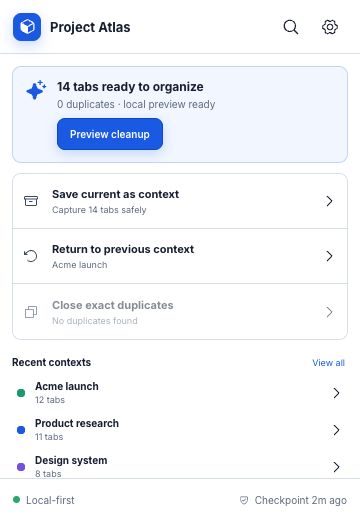
Save every open URL into a named context, restore recent work in a new window, or remove exact duplicates.
Use it when: you need to switch projects without keeping 30 tabs open.

Save · sort · resume
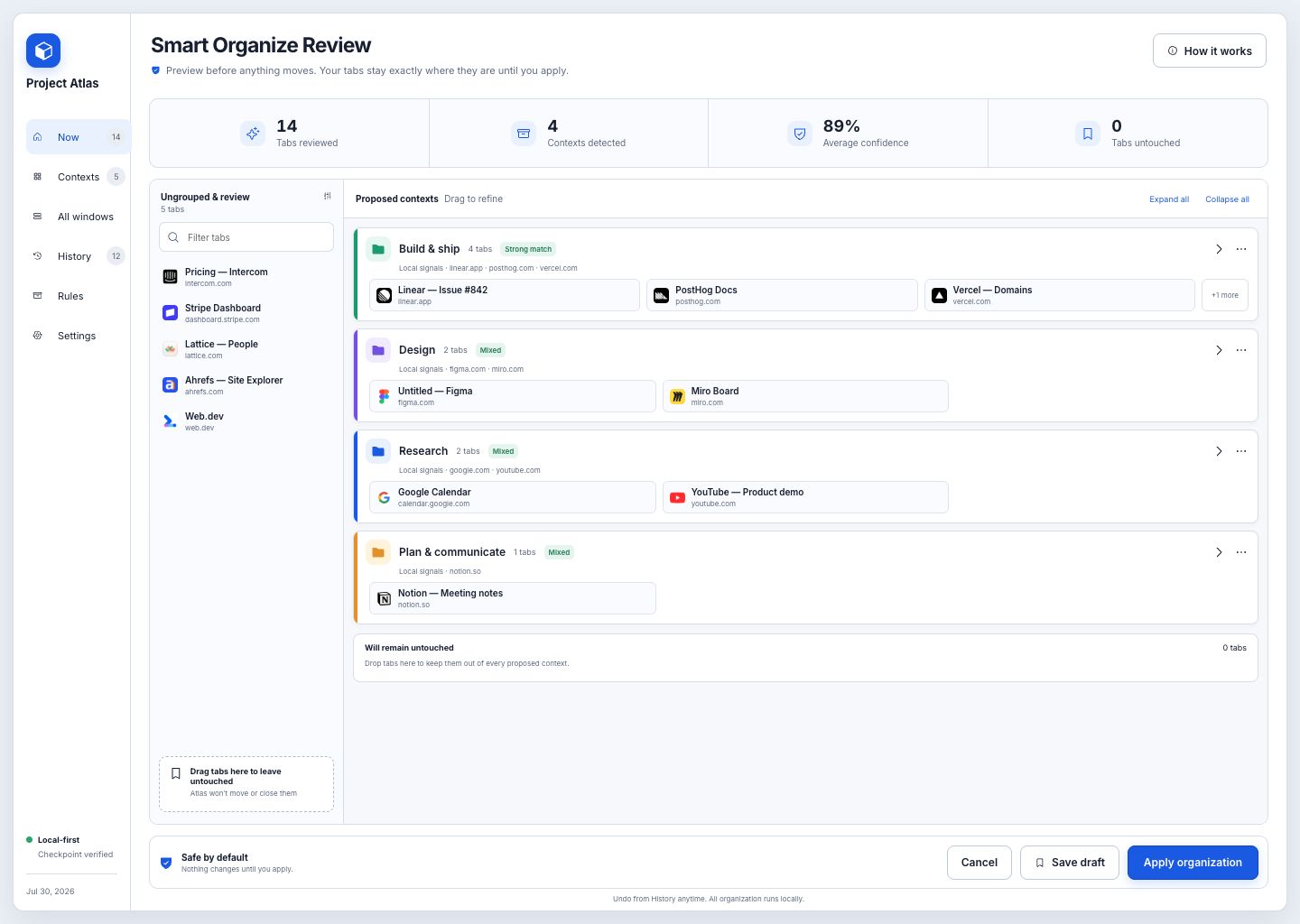
Atlas captures a crowded Chrome window, proposes useful groups from tab titles and domains, lets you correct the plan, then restores the whole context when you need it again.
Runs in Chrome · titles and domains only · nothing moves before approval
One window, four steps
Atlas is a browser context manager: it preserves the pages that belong to a piece of work, not just a flat list of links.
Atlas collects tab titles, domains, order, and pinned state. It never reads the page body.
FreeLocal tab intelligence finds related work and keeps low-confidence tabs in an Inbox.
Preview freeDrag mistakes between groups, rename a context, or leave a tab exactly where it is.
Always before applyPro applies native Chrome groups after a recovery snapshot. Any saved context can be reopened later.
Apply with ProThe actual extension
The dashboard shows the full plan, its confidence, uncertain tabs, and anything you chose to leave untouched.
Save every open URL into a named context, restore recent work in a new window, or remove exact duplicates.
Use it when: you need to switch projects without keeping 30 tabs open.

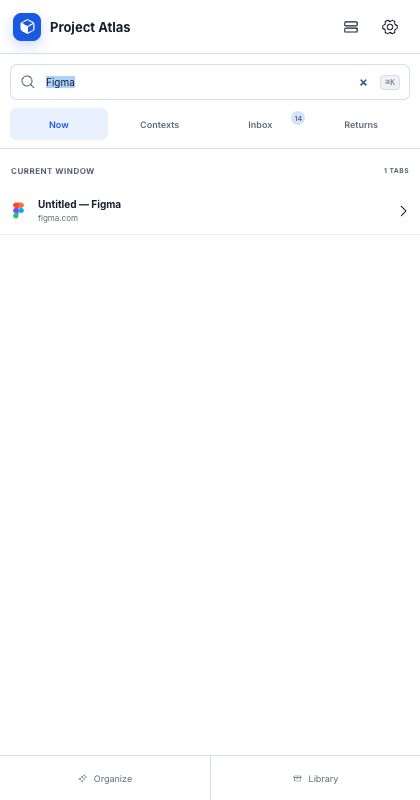
Find an open tab by title or domain, browse saved contexts, and review tabs Atlas left in the Inbox.
Use it when: you remember the page, but not which window contains it.

Three everyday jobs
The context reopens into a separate Chrome window.
A local recovery snapshot is created before Pro changes groups.
Search spans open tabs, saved contexts, domains, and Inbox.
Nothing to send
Atlas uses tab titles and domains inside the extension. Free previews use local rules; Pro adds a more flexible on-device organizer. Neither reads page bodies nor calls an AI API.
When a Pro user chooses Sync now, Atlas encrypts the backup before it leaves Chrome. The server receives ciphertext, not the key.
Read the policyAtlas Pro
Use Atlas free for local saving, restoring, duplicate cleanup, and organization previews.
$0 forever
No account required$39 / year
or $5.99 monthlySecure checkout by Stripe. Subscriptions renew automatically; cancel from the billing portal.
Open-tab URLs, titles, favicon references, pinned state, window membership, and tab position. It does not read page bodies.
No. Organization runs inside the extension with no AI API key or token charge.
After Stripe Checkout, copy the one-time activation key into Atlas Settings. The key activates one Chrome installation.
Download the package, unzip it, enable Developer mode at chrome://extensions, and choose Load unpacked.